Anaglyph Camera
by SIsilicon
10
Godot Anaglyph Camera
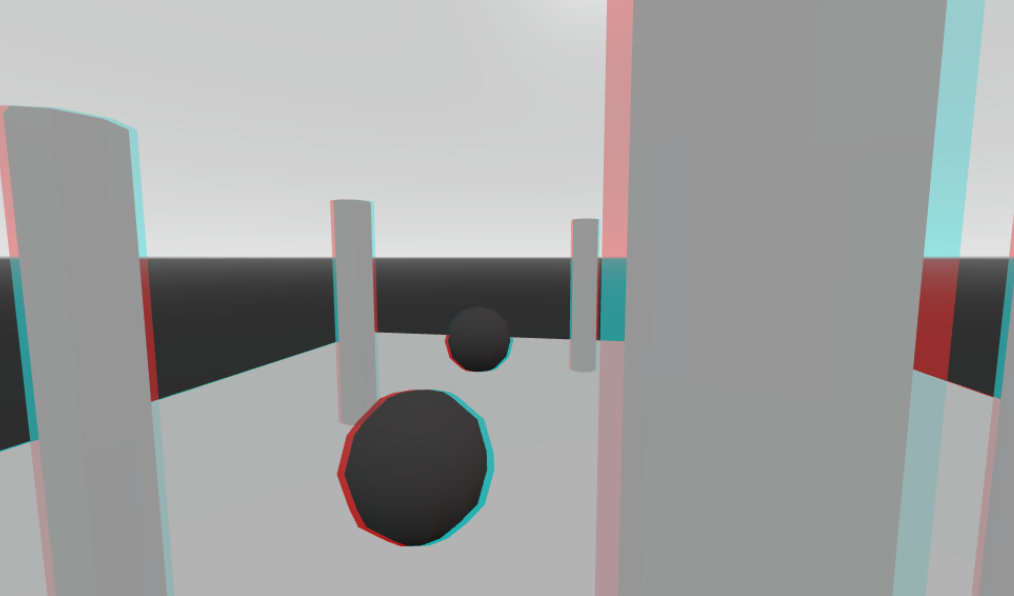
This is a simple plugin adds a new Camera called AnaglyphCamera. With it, you can make a 3D anaglyph effect in Godot.
Installation
Whether you downloaded it from GitHub, or from the Godot asset library, you must copy the folder silicon.3d.anaglyph from the addons folder into your project's addons folder. Don't have one? Make one. After that, you must go into your Project Settings and enable the addon there.
Usage
The addon is very to use. Just add a new Camera called AnaglyphCamera to the scene. You use just like an ordinary camera, but it has a few new properties.
Separation: How far apart the camera's "eyes" are. Increasing this strengthens the 3D effect.Convergence: How far the camera's focal point is. This point is where the 3D effect will appear like a regular camera.Greyscale: How much the view should appear black and white.Half Res: Whether the camera should be rendered at half resolution. The anaglyph camera renders the scene twice, so increasing this can improve performance.
Download
Version1.0
Download Now
Support
If you need help or have questions about this plugin, please contact the author.
Contact Author